Making Friends on the Mirror
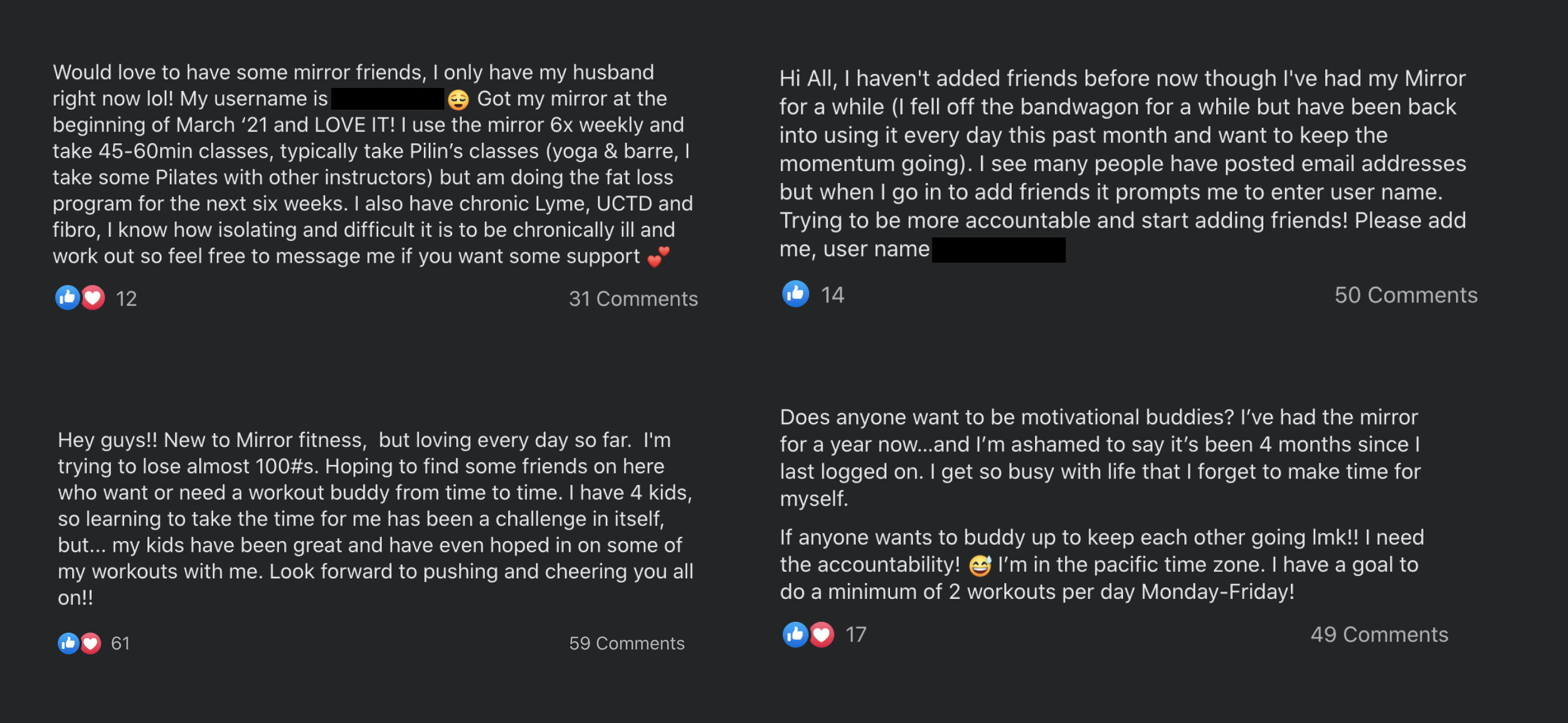
MIRROR wanted to create a space that gives their members the opportunity to make new friends, celebrate accomplishments, and discover new classes.
Responsibilities
Designed the user experience and interface for iOS/Android and MIRROR platform.
Lead brainstorm sessions to better understand our challenges and solutions.
Conducted competitive research and pulled visuals for design inspiration.
Presented various rounds of prototypes to stakeholders.
Worked with Product Manager, QA, iOS and Android Engineering for product shipment.
Ship date: March 2021
The goal
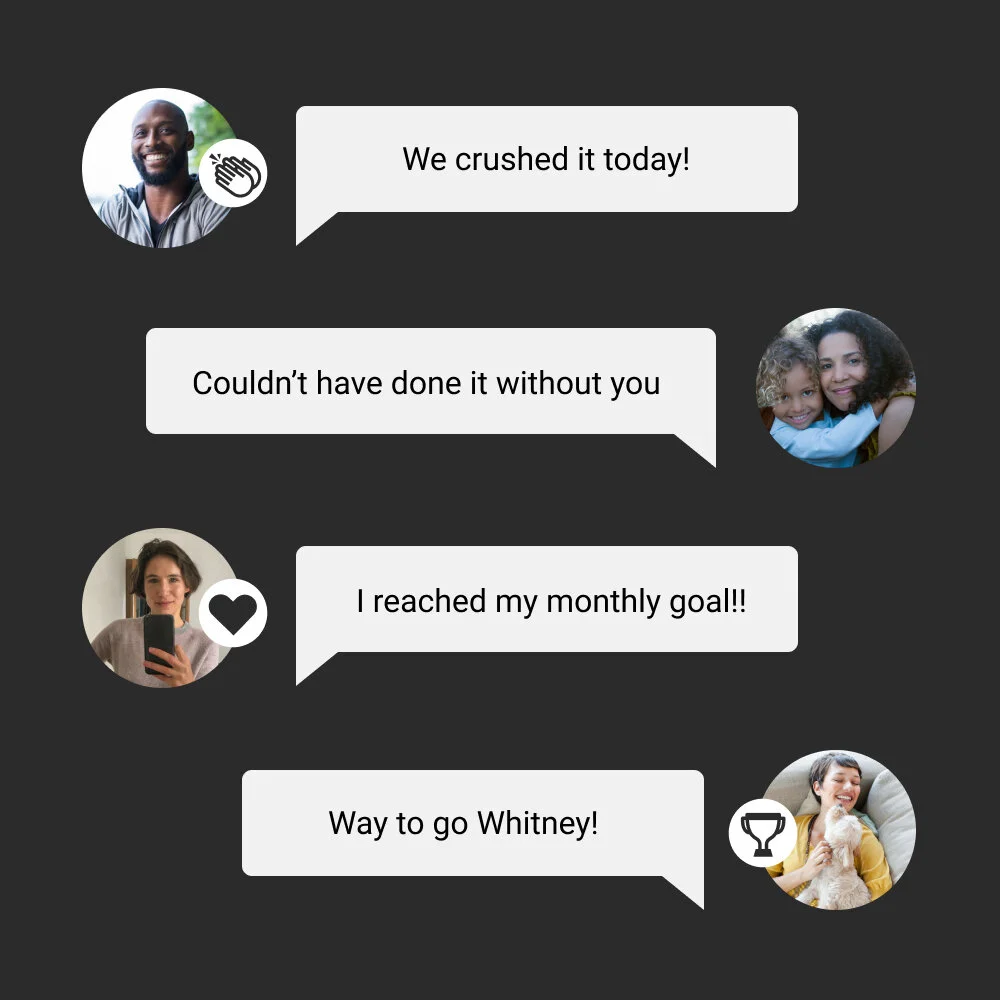
Design a new space within the app that unifies the MIRROR community and is tailored to personal success, sharing accomplishments, and discovering new classes.
Business goal: We want MIRROR owners to invite their friends to purchase a mirror and join the MIRROR community.
Design requirements
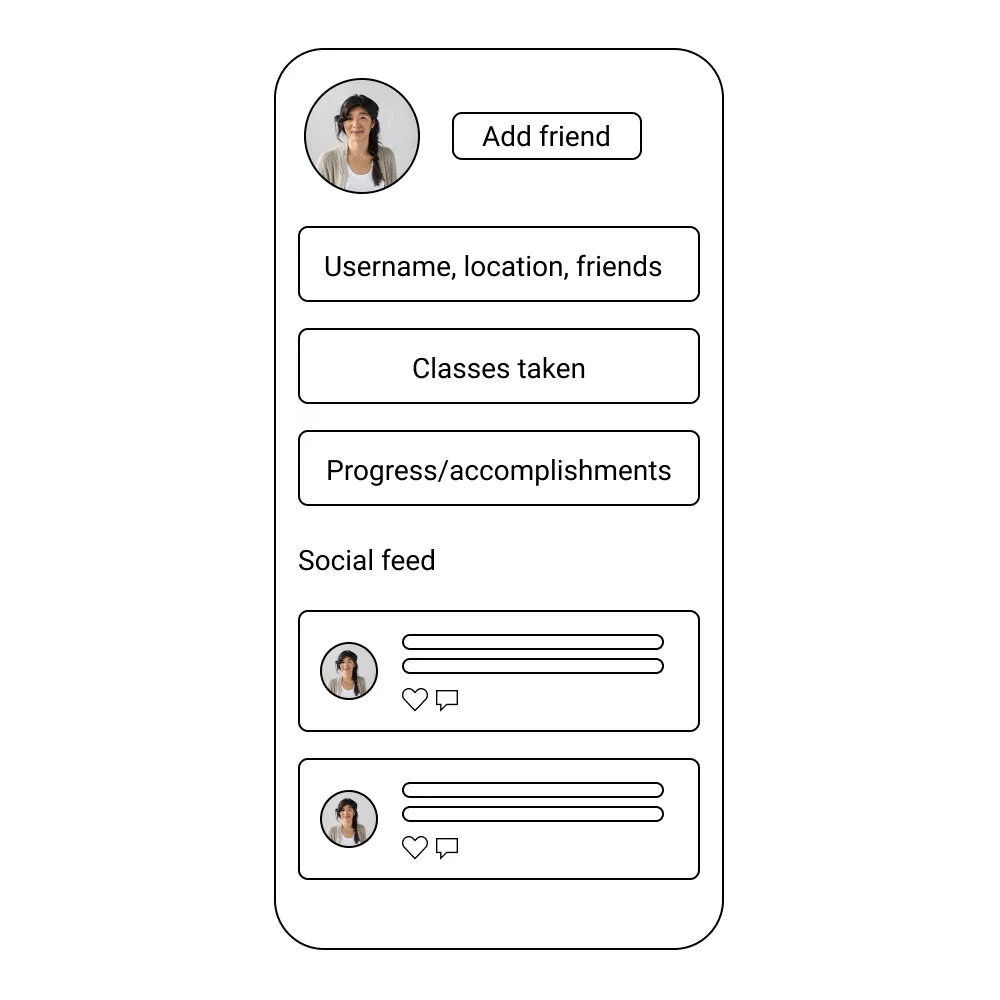
Each member needs a profile with:
The Basics (friending functionality)
Visibility of username, location and friends list.
The ability to send & receive friend requests by username or email.
Notification management.
Accomplishment data
Classes taken, weekly/monthly progress, goals reached, etc
Social feed
Content shared by members and their friends.
Members need ability to like, comment and share.
Questions we asked:
What data do our users care about the most?
How do we give our members new ways to discover classes?
How do we let members know when their friends are in the same class as them?
What are other people doing?
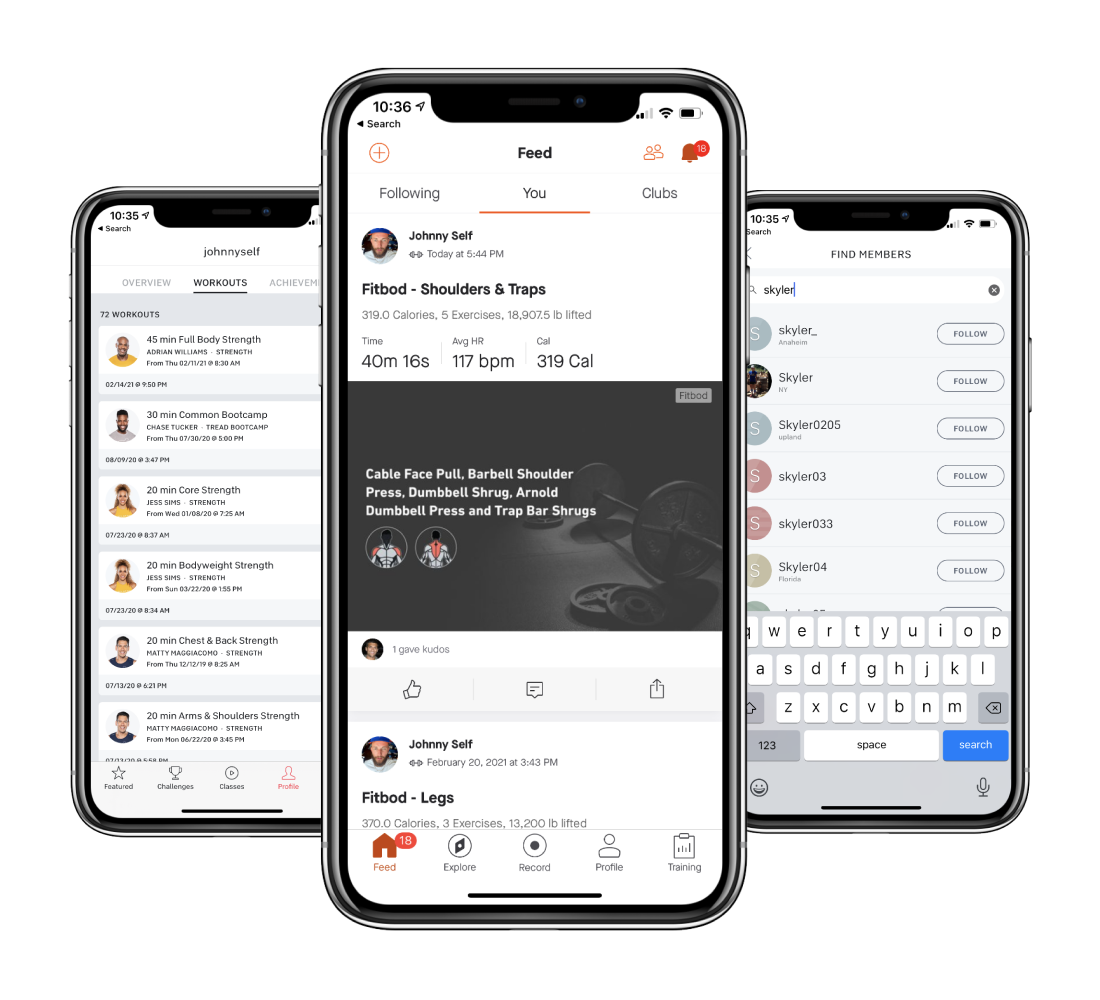
As a team, we pulled comps of what other people were doing within the “friending” space. We took standard cues from heavy hitters like Peloton and Linkedin, and learned new insight on how people like Peloton use unique tactics, like #tags, for class discoverability.
For us, we wanted to keep functionality as “native” as possible for our members. In other words, design a framework that was familiar and prioritize their accomplishments.
Wireframes
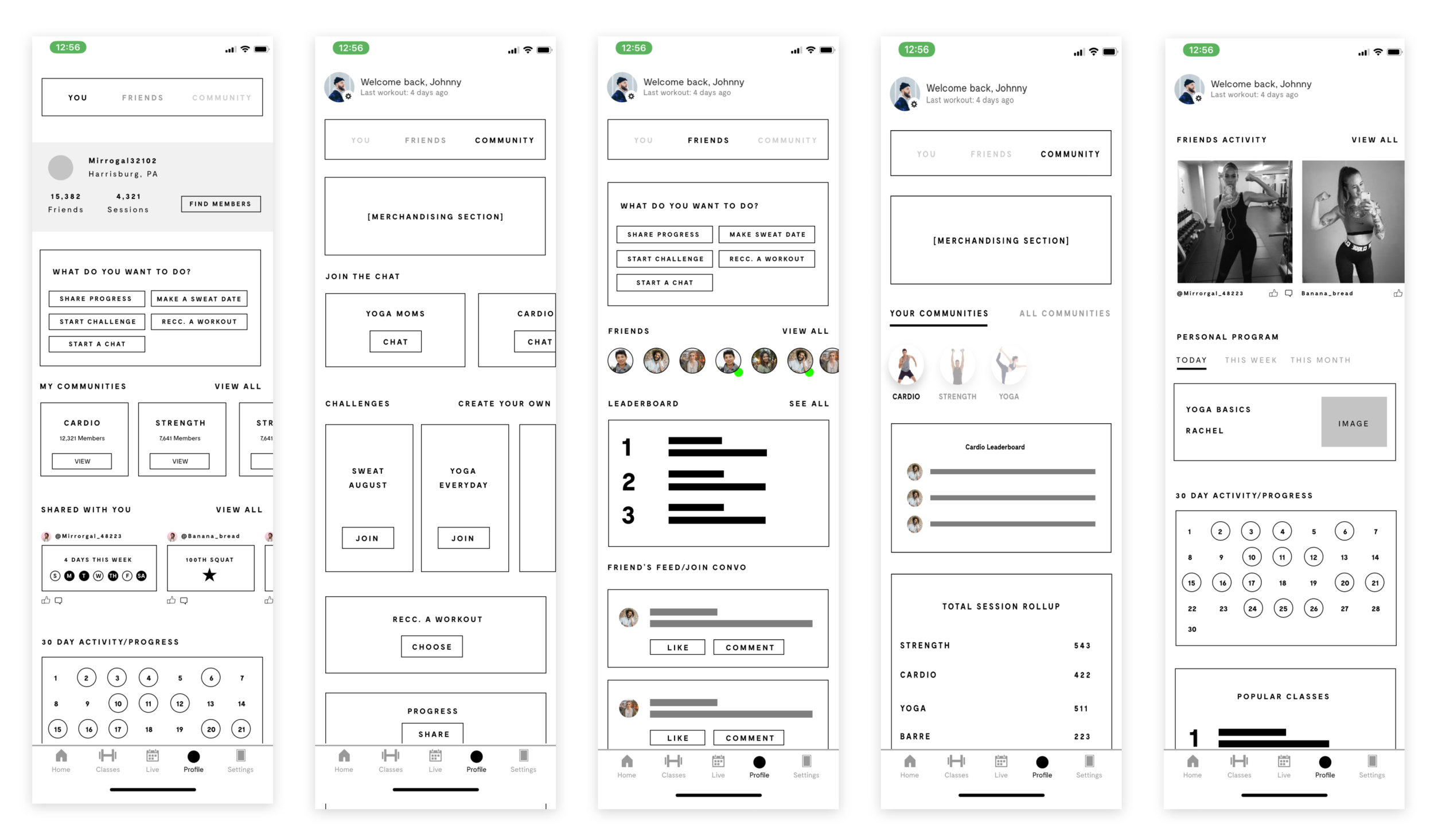
I always like to start with grayscale wireframes when laying out something new. It forces me, and others, to focus on the framework without getting distracted by colors and images. This is where we do a lot of module shuffling that helps us indicate which areas call for more prominent attention.
Iterations
Twice a week, I lead a design meeting where I would:
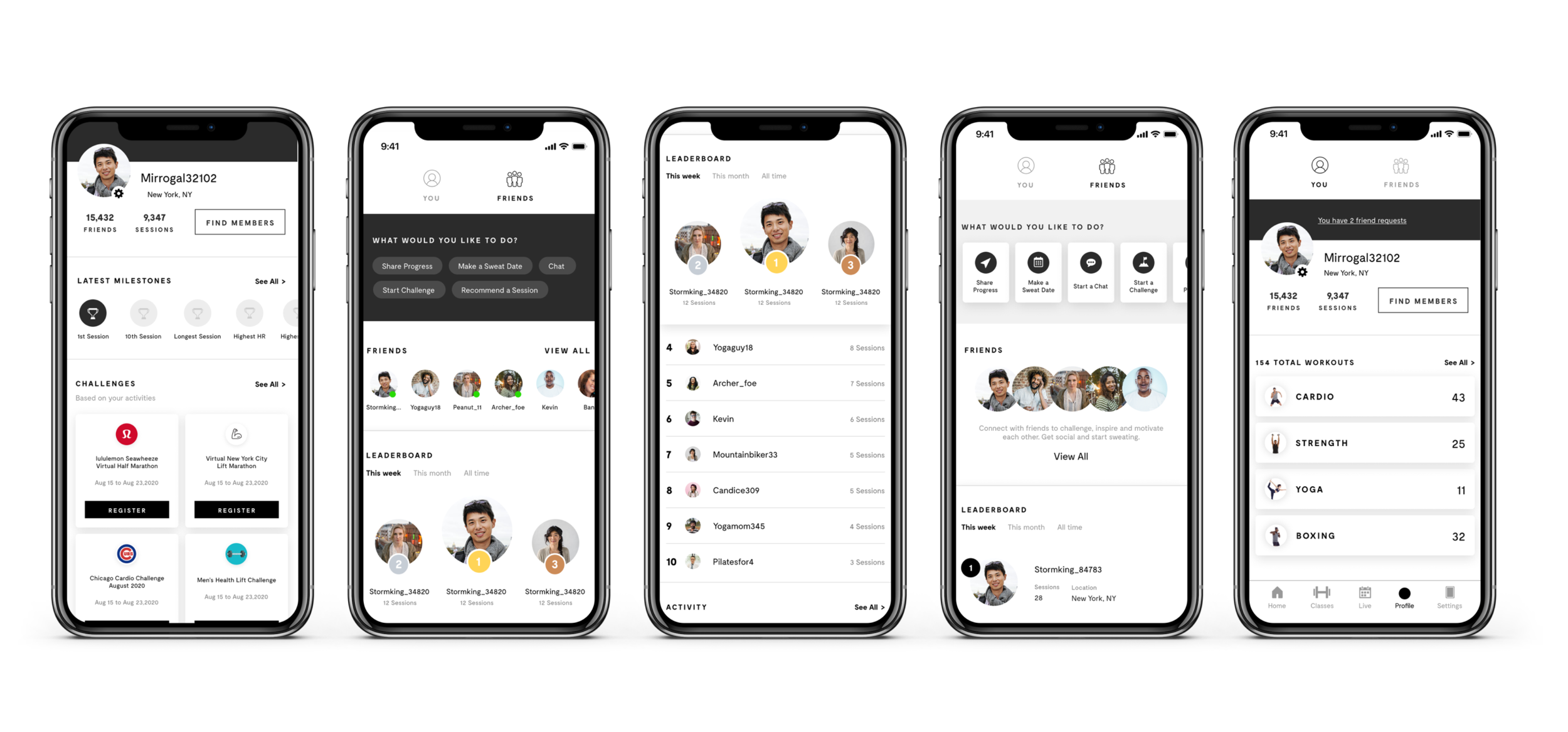
Walk-thru iterations and explain my process, design decisions, and overall user experience.
Receive direct feedback from relative stakeholders, including the CEO.
Present behavior and functionality examples using apps like Figma and Anima App.
Live sketch potential solutions on the spot.
What we came up with
Introducing Profiles
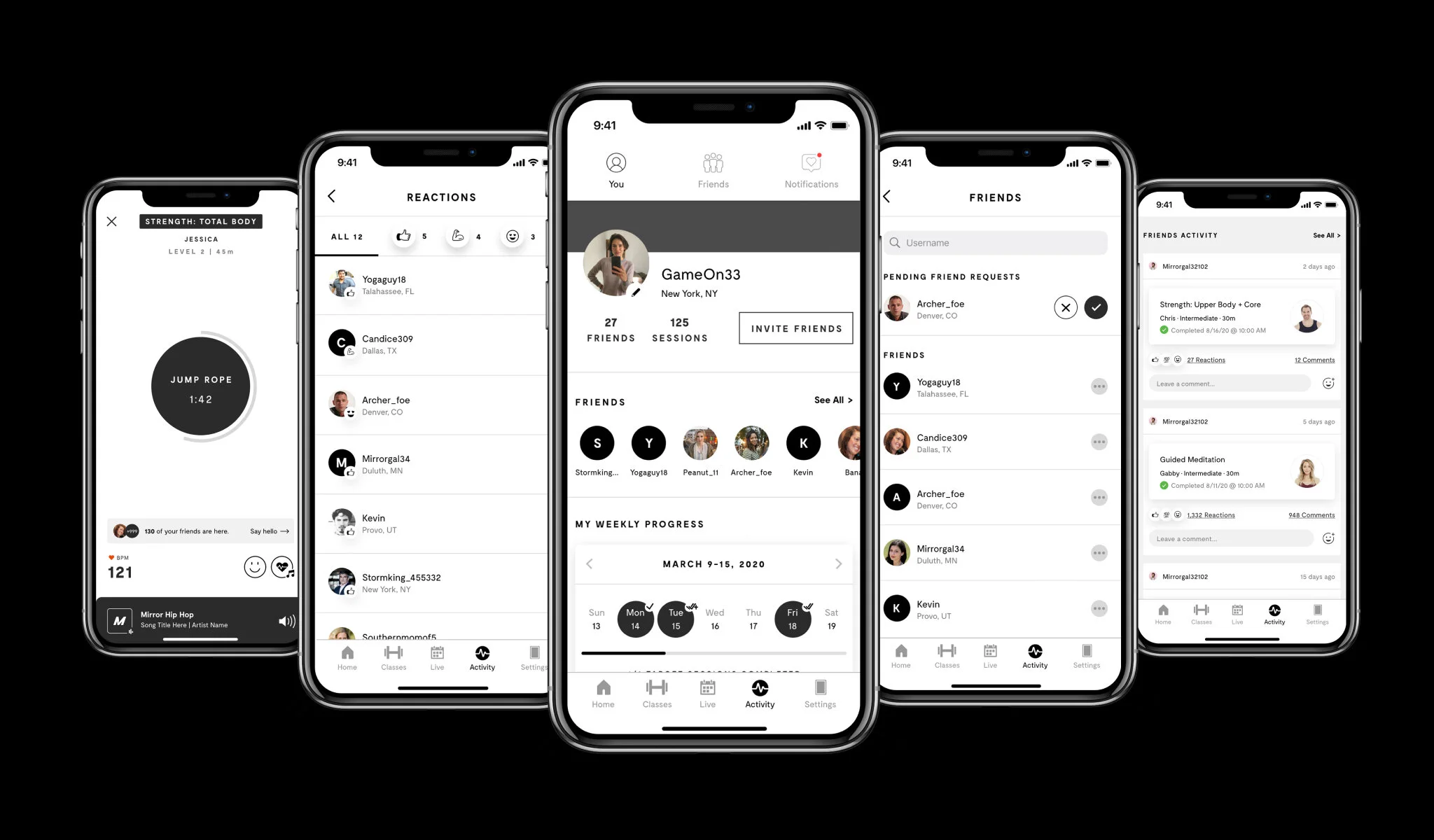
We introduced a new area within our app called Activity. This area is dedicated to all personal workout data and is the gateway to accessing friends and their workout activity.
Within the “You” tab, users have access to:
(Ranked in order of importance)
Profile information (avatar, username, location)
Invitation to invite friends (new or existing members)
Friend’s list
Workout data (present and past)
Personal activity feed
Finding friends & problems…
We built this feature around the idea of accountability and sharing with others, but we quickly learned that not everyone wants their Mirror experience to be public.
Although most people quickly hopped on-board with the whole “friending” idea, we carved out a special area for our more “private” members allowing them to workout in peace without having other members peak into their personal space.
This warranted some specific logic around our social feed and search functionality asking and solving for questions like:
What can my friends see?
Can users hide certain things?
Can friends of friends see one another’s profile?
What does a private profile look like?
Can a stranger accidentally stumbled upon another stranger’s profile?
Social feed
With thousands of classes to choose from, we wanted our members to see what classes their friends were taking and give them the option to take the class themselves. Also, we wanted them to be able to spark conversations and make new friends within the MIRROR community.
Example of the social feed logic:
Skyler is friends with Jordan.
Skyler completes a Boxing class.
Skyler shares this accomplishment to his feed.
Jordan discovers a new Boxing class completed by Skyler.
Jordan takes the same class and the cycle continues.
Sending a friend encouragement mid-class
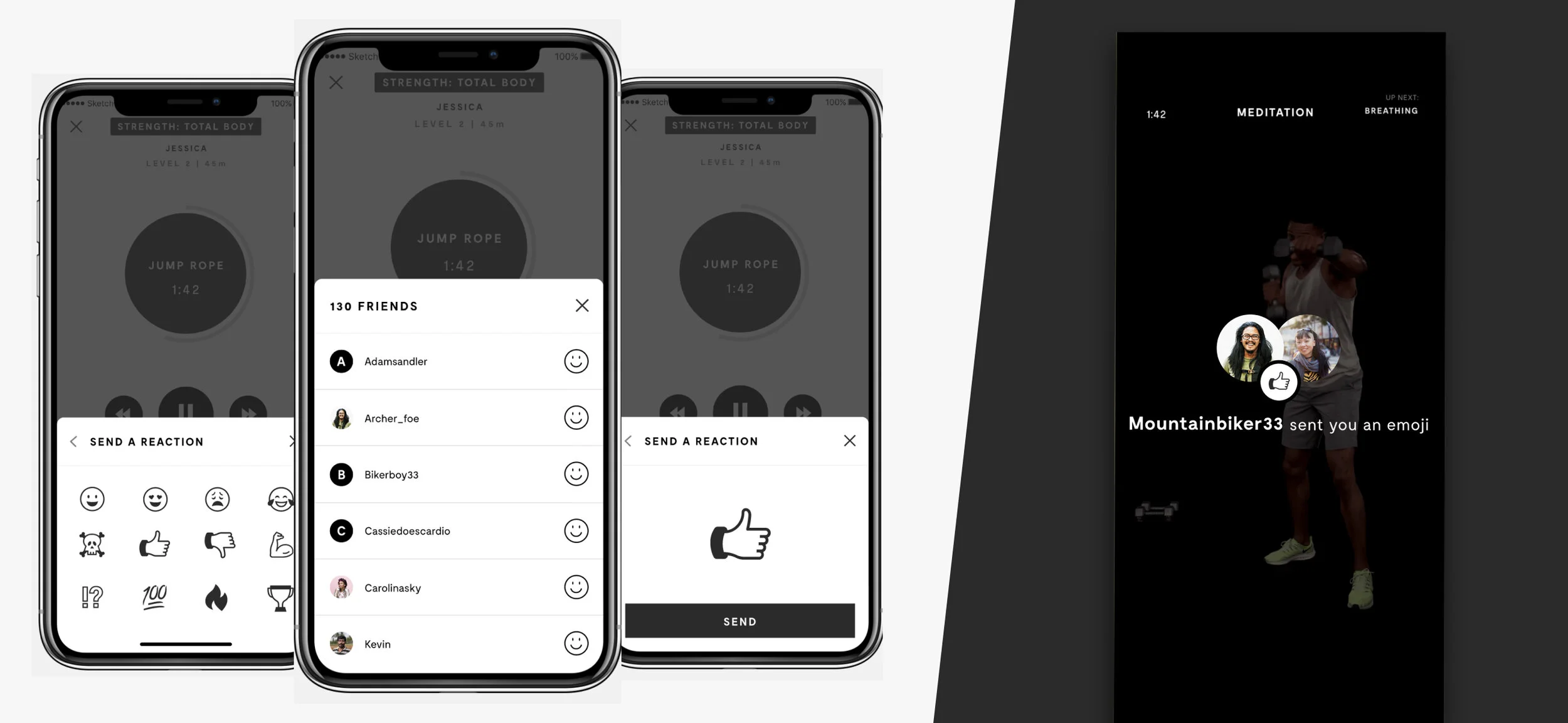
Sending MIRROR emojis is a big thing within the MIRROR community. Members love them and at the time, we only allowed for members to send an emoji to the entire class during a workout. We wanted to open that functionality up a little and allow members to also send emojis to individual friends who were also in the class.
On the phone: Members see how many of their friends are taking the class with them and they have the option to send each friend a MIRROR emoji.
On the Mirror: Once an emoji is sent, a dim overlay appears on the recipient’s MIRROR with an incoming message including the member’s name, photo and the emoji they sent.
Business goal : Referral program
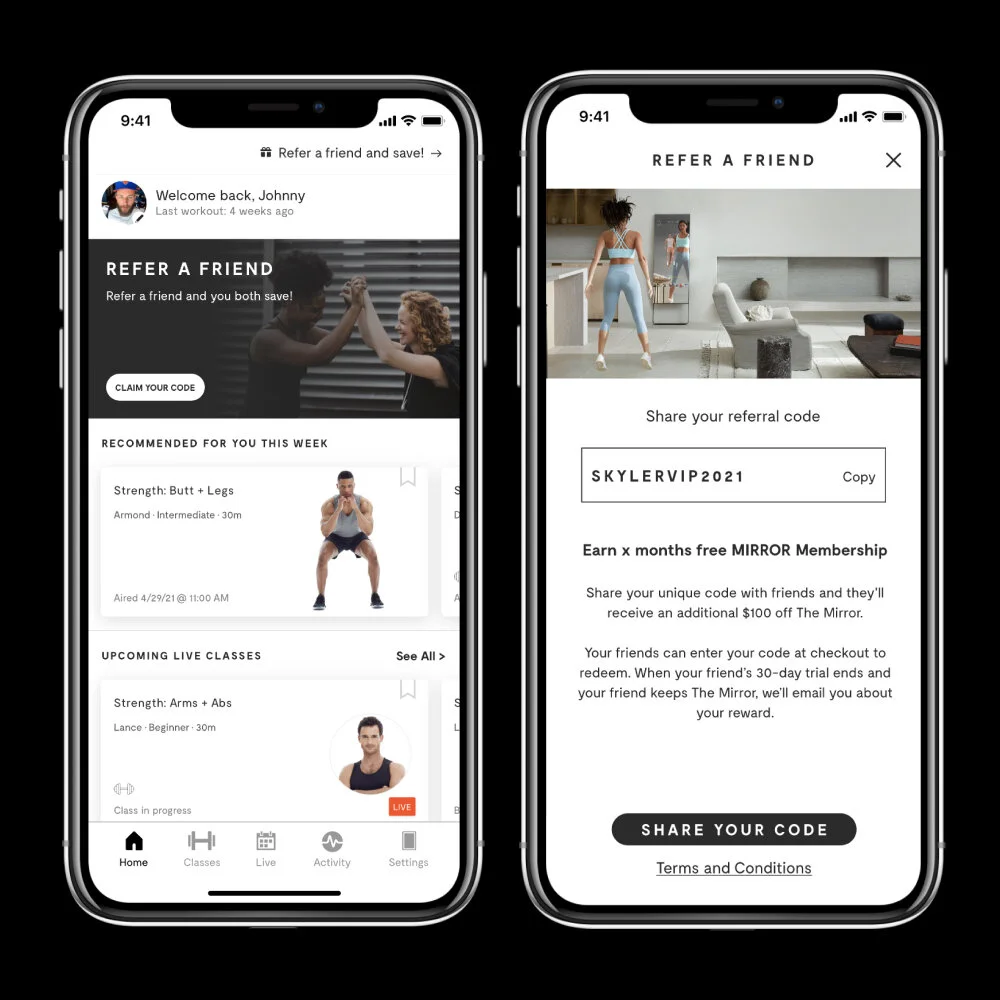
We sprinkled in different opportunities within the app that allow members to share their own personal referral code with friends which in-return rewards them every time the recipient purchases a Mirror.
File hand-off & ship-date
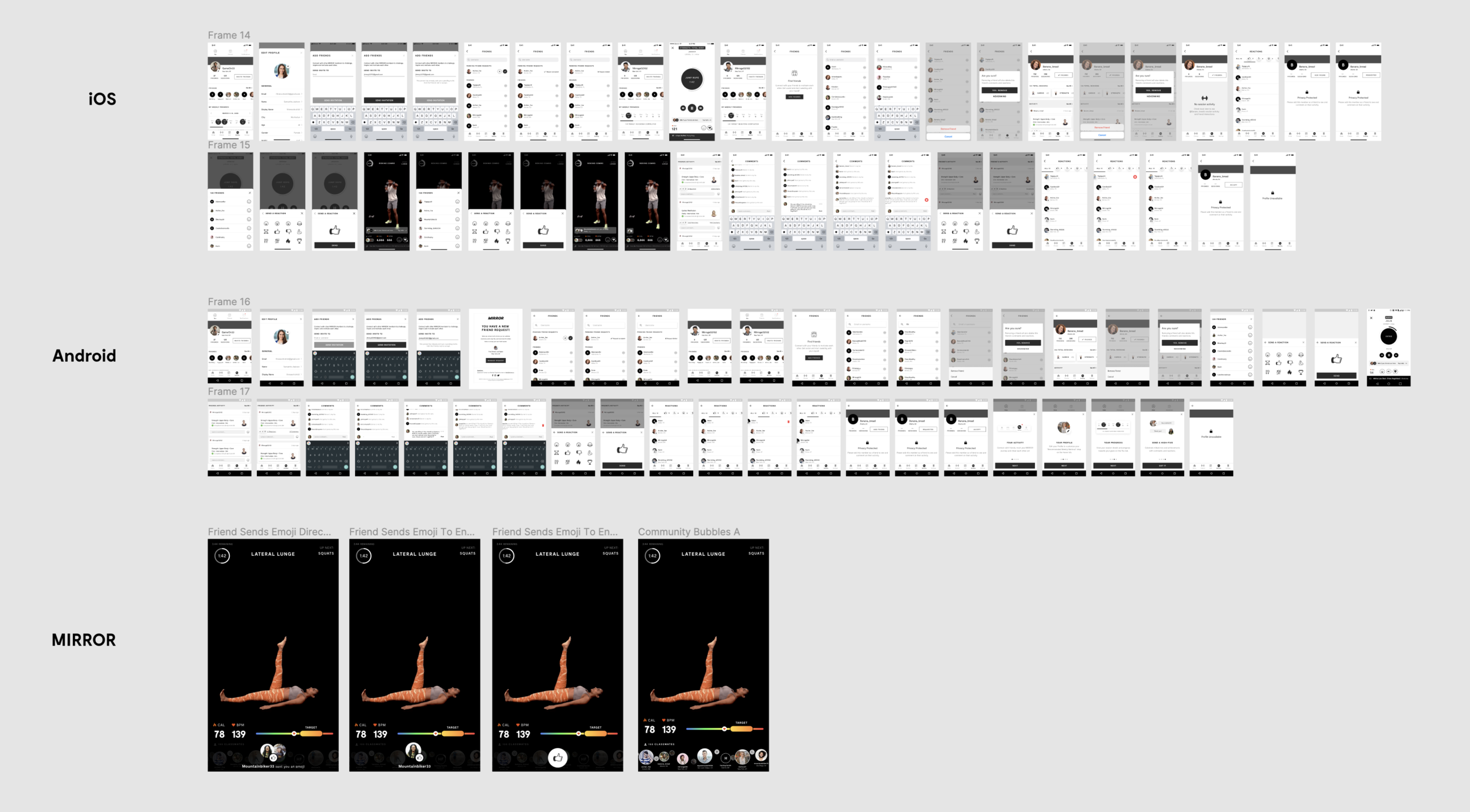
Every completed project is scrubbed clean and organized by iOS and Android. I work with a Product Manager to include annotations, flows, and anything that will help the engineers build to spec.
Ship-date: November 2020 ✅
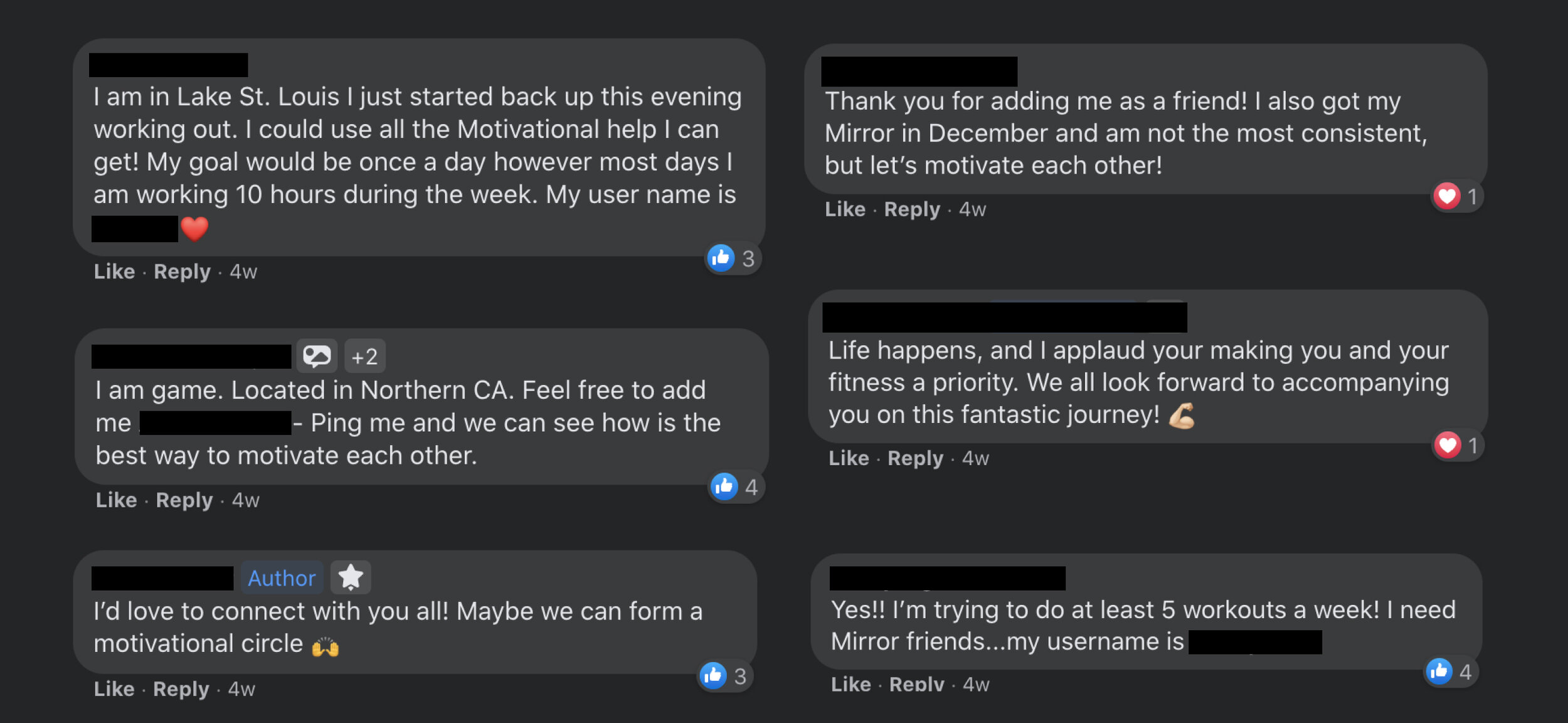
What people are saying